A design can look fantastic on screen and still get trapped in revision limbo. One person wants a different headline, another spots a spacing issue, and someone else sends feedback on a version that was outdated two days ago. Suddenly, a simple approval turns into a full-time detective job.
- The Real Problem Isn't the Design—It's the Feedback Loop
- Build a Review Process Before Sending the First Draft
- Turn Vague Comments Into Actionable Changes
- Choose the Right Format for Each Review Task
- Stop Version Confusion Before It Starts
- Make Final Approval an Actual Decision
- A Cleaner Review Process Means Fewer Revision Rounds
This happens with marketing brochures, sales proposals, presentations, product catalogs, reports, and almost any document that needs input from multiple people. The problem isn't always the design itself. More often, it's the review process surrounding it. When feedback arrives without context, file versions multiply, and nobody knows who gets the final say, even a straightforward project can drag on far longer than necessary.
The fix isn't to eliminate feedback. Good feedback makes good work better. The goal is to create a system where comments are clear, revisions are manageable, and everyone knows when a document is actually ready to ship.
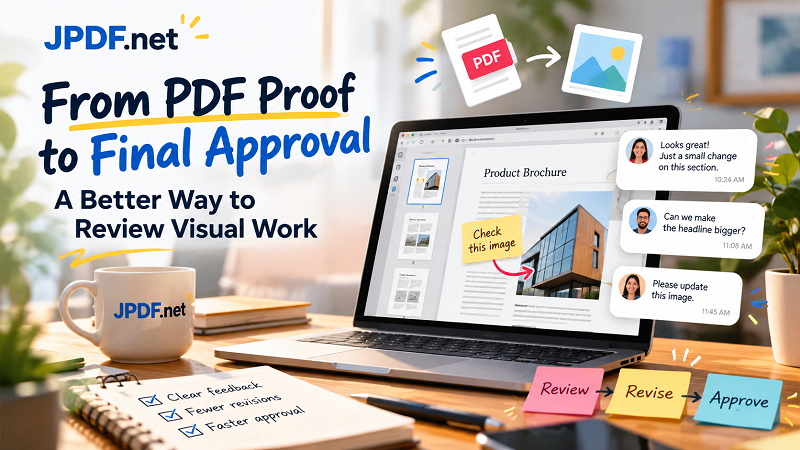
The Real Problem Isn't the Design—It's the Feedback Loop
Imagine sending a 20-page product brochure to five colleagues. One replies by email, another drops comments in a messaging app, and a third sends a screenshot with a red circle around something that supposedly needs fixing. Meanwhile, your manager calls to request a change that contradicts an earlier comment.
Sound familiar? You're no longer simply reviewing a document. You're piecing together a puzzle assembled across five different conversations.
Scattered feedback creates three major problems. First, important comments get buried or overlooked. Second, reviewers may be looking at different versions without realizing it. Third, the person making revisions must interpret vague instructions instead of focusing on the actual work.
The solution starts with a simple rule: every review needs a shared reference point. Everyone should know which file is under review, where feedback belongs, and who is responsible for consolidating it. Without those basics, adding more communication tools often creates more noise rather than less.
Build a Review Process Before Sending the First Draft
A smoother approval process begins before the first reviewer opens the file. A few minutes of preparation can save hours of unnecessary revisions later.
Choose one person to consolidate feedback. Multiple stakeholders can contribute, but someone should collect their comments and resolve conflicting requests before they reach the designer. This doesn't mean ignoring anyone's opinion. It means turning several independent opinions into one actionable set of instructions.
Make file versions impossible to confuse. Instead of naming every attachment final.pdf, final-new.pdf, or final-really-final.pdf, establish a predictable naming convention. For example, Product-Brochure_v03_Review.pdf clearly identifies the document and its current stage. Once approved, label the final deliverable separately so nobody mistakes an old draft for the finished version.
Set expectations upfront. Tell reviewers what they need to evaluate, when their feedback is due, and which aspects are open for discussion. If the team is reviewing visual hierarchy and product information, that's not the ideal moment to reopen every decision about the brand identity. A defined scope keeps the review focused without preventing genuinely important improvements.
Turn Vague Comments Into Actionable Changes
Some of the most expensive feedback consists of just three words: "This feels off."
Off how? Is the headline too small? Does the page feel crowded? Is the message unclear? Without a specific explanation, the designer has to guess, make a change, and wait for another round of feedback that may still miss the point.
Useful feedback connects an observation to a location and an intended outcome. Instead of saying, "The page looks messy," try, "The product description competes with the headline. Reduce the description's visual prominence so the main message stands out."
That small difference changes the entire conversation. The reviewer communicates the problem, the designer understands the objective, and both can evaluate whether the revision worked.
It also helps to separate comments into three categories:
- Required changes: Errors, inaccurate information, compliance issues, or elements that violate the agreed brief.
- Recommended improvements: Changes that could strengthen readability, consistency, or the overall experience.
- Optional preferences: Subjective alternatives that may be worth considering but aren't essential to approval.
This distinction prevents a minor aesthetic preference from carrying the same weight as a factual error. It also gives the team a practical way to prioritize revisions when deadlines are tight.
Choose the Right Format for Each Review Task
Not every review requires the same file format. A multipage PDF is useful when stakeholders need to evaluate the complete document, check page order, compare sections, or understand how the layout flows from one page to another. Keeping the full document available preserves context that can disappear when individual pages are viewed separately.
However, a reviewer doesn't always need to send the entire document to explain one small issue. If the discussion concerns a particular chart, product image, or page layout, a standalone image can make the relevant detail easier to view inside a message, task card, or presentation.
When a static visual reference is all that's needed, you can convert a pdf to a jpg and share the relevant image with your team. This is especially handy when a colleague needs to comment on a specific visual element without opening a larger document.
There's one important caveat: an image is a reference, not a replacement for the original working file. It may not preserve selectable text, links, or the full document structure. Keep the original PDF available for context, and use the image only when it makes the conversation more convenient.
The smartest approach isn't choosing one format for everything. It's matching the format to the task: full documents for comprehensive reviews, focused images for quick visual discussions, and editable source files when actual design changes are required.
Stop Version Confusion Before It Starts
Version confusion is particularly frustrating because it can undo work that has already been completed. A designer fixes a headline, only to discover that a reviewer has been commenting on an earlier draft. Another team member downloads an old attachment and forwards it to a client. Now everyone is discussing a problem that no longer exists in the current version.
You don't need an elaborate document management system to prevent most of this chaos. Start with a single shared location for the active review file. When a new version is uploaded, make it clear that the previous draft has been superseded. If practical, archive old versions separately instead of leaving several equally prominent files in the same folder.
For each revision round, maintain a short change summary. Something as simple as "Updated product descriptions, corrected pricing, and adjusted page 4 layout" helps reviewers focus on what actually changed. It also reduces the temptation to revisit unrelated decisions that were already approved.
For larger projects, assign a clear status to every version: Draft, In Review, Changes Requested, Approved, or Final. These labels give everyone a common understanding of the document's current state without requiring another meeting to explain it.
Make Final Approval an Actual Decision
A document can remain stuck in review because nobody wants to declare it finished. One person is waiting for another person's approval, while the designer keeps making small adjustments because no one has confirmed that the remaining comments are optional.
A reliable approval process needs a designated decision-maker. That person doesn't necessarily make every design choice, but they are responsible for confirming that required changes have been addressed and the document meets the agreed objectives.
Before closing a review, check three things: required corrections are complete, unresolved comments have an explicit decision, and the approved version is clearly identified. If a change is deferred to a future update, record that decision rather than leaving it buried in a conversation.
It is also worth distinguishing approval from perfection. A document can always be tweaked, but endless polishing doesn't automatically produce a better result. Once the content is accurate, the design meets the brief, and the relevant stakeholders have approved it, the team needs a clear stopping point.
A Cleaner Review Process Means Fewer Revision Rounds
Better document reviews don't depend on having more meetings, longer email threads, or a new app for every task. They depend on making a few fundamentals consistent: one reference version, consolidated feedback, actionable comments, clear ownership, and a defined approval process.
These habits are useful whether you're reviewing a one-page sales sheet or a 100-page report. They reduce guesswork, prevent avoidable rework, and give creative teams more time to improve the work instead of untangling conversations about it.
The next time you send a document for approval, don't just attach the file and hope for the best. Tell reviewers what to check, where to leave feedback, and when the review closes. A little structure can turn a chaotic revision cycle into a process that actually moves forward—and gets the right work across the finish line.