PDFs are excellent at being PDFs. They preserve layouts, keep multiple pages together, work across devices, and make documents easy to share. But there is one small problem: sometimes you don't actually need a document.
- The Format Should Match the Next Job
- 1. You Need One PDF Page Inside a Presentation
- 2. You're Sharing One Page in a Chat
- 3. You're Turning a Document Page Into a Design Element
- 4. You Want to Publish a Visual Preview
- 5. You're Creating Content for Social Media
- Why PNG Can Be a Good Choice for Certain Pages
- When You Should Keep the PDF
- PDF or PNG? Start With the Destination
- Keep the Original, Create the Asset
- Choosing the Right PDF to PNG Format
- The Best Format Is the One That Gets Out of Your Way
You need a picture.
Maybe you want to drop one page into a presentation. Maybe you're sharing a chart in a group chat. Maybe a designer needs a single page inside a layout. Or perhaps you want to show a document preview without asking someone to download another file.
That's where converting a PDF page into an image can make surprisingly good sense. The question isn't whether PDF or PNG is “better.” The better question is what you're trying to do next.
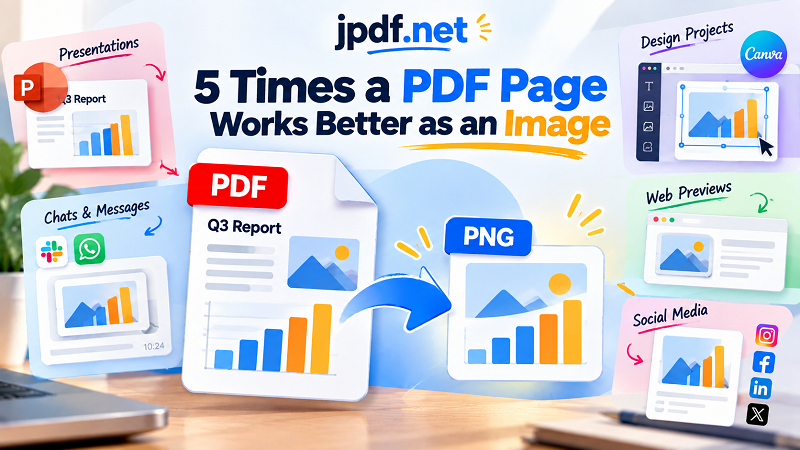
The Format Should Match the Next Job
Think of a PDF as a container for a document and an image as a visual asset. They can contain similar information, but they behave differently once you start using them elsewhere.
A PDF is built for documents: reading, printing, navigating pages, selecting text, and preserving a structured layout. An image is built for visual workflows: placing, displaying, embedding, sharing, and designing.
That distinction matters because many modern workflows don't stop when a document is finished. A page from a report might become part of a presentation. A certificate might become a website image. A chart might appear in a social post. A product sheet might become part of a marketing graphic.
The document hasn't changed. The job has.
1. You Need One PDF Page Inside a Presentation
Dropping an entire PDF into a presentation can be overkill when you only need one page.
Imagine you're presenting a quarterly report and want to show a single chart from page 17. Your audience doesn't need the other sixteen pages. They need the chart.
Turning that page into an image gives you a visual element that can be placed directly onto a slide. You can resize it, position it alongside other elements, and build the slide around it without treating the entire document as an embedded object.
This can also make presentations easier to manage. Instead of worrying about how an external PDF behaves inside your slide deck, you're working with a visual asset that belongs directly to the slide.
The same idea works for invoices, diagrams, screenshots of reports, certificates, maps, and individual pages from longer documents.
2. You're Sharing One Page in a Chat
There's a big difference between saying “Here is the document” and “Here is the page you need.”
If someone asks for one particular page from a PDF, sending the entire document can create unnecessary work. They download it, open it, search for the relevant page, and then figure out what you're trying to show them.
An image removes several of those steps.
The recipient can see the content immediately inside a compatible messaging or collaboration interface. This is especially useful when the page contains something visual—a table, diagram, receipt, schedule, screenshot, or chart.
Of course, this doesn't mean images should replace PDFs for everything. If the recipient needs the complete document or needs to copy text from it, the original PDF is still the better choice. But for “look at this page” moments, an image can be much more direct.
3. You're Turning a Document Page Into a Design Element
Designers and content creators regularly work with material that started life somewhere else.
A report may contain a useful chart. A brochure may contain an interesting graphic. A PDF presentation may have a page that needs to appear inside another design. A certificate might need to be featured in a promotional layout.
In these situations, the page stops behaving like a document and starts behaving like an asset.
That's where an image format becomes convenient. You can place the page into a design canvas alongside photographs, shapes, text, icons, and other visual elements.
The important thing is to think about resolution before doing this. If the image will be displayed large, a low-quality conversion can quickly become obvious. A page that looks sharp at 100% on your screen may not look nearly as impressive when stretched across a large graphic.
4. You Want to Publish a Visual Preview
Sometimes people need to see what's inside a document before deciding whether to open it.
A visual preview can work well for document libraries, resource pages, online catalogs, portfolios, educational materials, and internal knowledge bases. Instead of showing a generic PDF icon, you can display a representative page.
This gives the viewer some immediate context.
For example, a report could have a thumbnail showing its cover. A guide could display a page containing one of its diagrams. A brochure could use one of its more visually interesting pages as the preview.
The PDF remains the actual document. The image simply acts as the storefront.
This distinction is useful because a preview doesn't need to replace the original. It only needs to make the original easier to understand and discover.
5. You're Creating Content for Social Media
Social platforms are built around visual content, not downloadable document files.
If you have a useful page inside a PDF, posting the entire document may not be the best way to get people to notice it. A single page containing a statistic, quote, chart, infographic, or announcement can become a much more natural visual post.
You can also combine the page with additional design elements before publishing it.
For example, a research report might contain an interesting chart. Instead of telling your audience to download a 30-page PDF to find it, you can turn the relevant page into an image and build a social post around that visual.
The full PDF can still be available for anyone who wants the complete information.
This creates a useful two-step experience: image for attention, PDF for depth.
Why PNG Can Be a Good Choice for Certain Pages
Not every PDF page needs to become a PNG. But PNG can be useful when the page contains text, diagrams, charts, interface screenshots, illustrations, or other content where crisp edges matter.
Because the page becomes a raster image, you also get a predictable visual object. What you see in the image is what you're placing into the next workflow.
That can be convenient for presentations and design tools where you want to position a page exactly like any other graphic.
There is a trade-off, though. Once a page becomes an image, the text isn't behaving like normal PDF text anymore. You generally can't select it in the same way, and searching inside the image won't work like it does with a text-based PDF.
That's why conversion should be driven by purpose rather than habit.
When You Should Keep the PDF
There are plenty of situations where converting to an image would actually make things worse.
If someone needs to search the document, keep the PDF. If they need to select and copy text, keep the PDF. If the file contains many pages that should be read together, the PDF is usually the natural format.
Printing is another consideration. A properly prepared PDF can preserve document structure and print settings more effectively than a collection of raster images.
Accessibility can matter too. Depending on how the original PDF is structured, replacing text with an image can remove useful information for people who rely on text-based accessibility features.
So don't convert a PDF simply because you can. Convert it because the next task benefits from having an image.
PDF or PNG? Start With the Destination
A simple comparison makes the decision easier.
| What you need to do | Better starting format |
|---|---|
| Read a complete document | |
| Print multiple pages | |
| Search through text | |
| Send a complete report | |
| Place one page into a presentation | PNG |
| Use a page in a design | PNG |
| Share one visual page in a chat | PNG |
| Create a visual preview | PNG |
| Turn a page into social content | PNG |
The important word here is starting. Converting a PDF page into an image doesn't mean abandoning the PDF. In many workflows, you should keep both.
The PDF remains the source document. The image becomes a convenient derivative for a specific task.
Keep the Original, Create the Asset
A useful workflow is surprisingly simple: treat your PDF as the master and create image versions only when a particular task calls for them.
That way, you don't have to choose between the two formats forever.
Need the complete report next week? You still have the PDF.
Need page 12 for a presentation today? Create an image from that page.
Need a visual for a social post tomorrow? Use the image version.
This approach also prevents a common mistake: converting an entire document into images when only one or two pages are actually needed.
If you only need one page, there is little reason to turn twenty pages into twenty separate image files.
Choosing the Right PDF to PNG Format
The conversion itself is only part of the equation. Think about where the resulting image will be used before choosing the output settings. A presentation viewed on a laptop may have different requirements from a large printed graphic or a high-resolution design project.
Pay attention to the page dimensions and image resolution, especially when the page contains small text. If the output will be enlarged, starting with insufficient resolution can produce blurry text and rough edges.
The goal isn't to create the biggest image possible. It's to create an image that remains sharp enough for the job without becoming unnecessarily heavy.
The Best Format Is the One That Gets Out of Your Way
PDF and PNG aren't competitors fighting for the title of “best format.” They're tools designed for different jobs.
PDF is excellent when you need a document. PNG becomes useful when one of those document pages needs to escape the document and become part of something else.
A page can start as a report, become a presentation visual, turn into a social post, serve as a preview, or drop directly into a design. The information stays the same, but the format changes to fit the next task.
That's the real reason to convert a PDF page into an image: not because the PDF is wrong, but because the next job calls for something different.