Your website can display product details, customer quotes, order information, and project updates perfectly well. But the moment someone needs to send that information to a client, attach it to an email, or keep it with a business record, things can get messy. A URL may point to a page that changes tomorrow. Copying everything into a document creates extra work. Screenshots capture what is visible but often leave out useful context.
- When Online Content Needs to Become a Business Document
- Four Ways Teams Handle Web-Based Information
- Where Manual Document Creation Starts to Break Down
- A Practical Decision Framework for Web-to-Document Workflows
- What to Check Before Treating an Export as a Final Record
- Making the Workflow Easier Without Adding More Busywork
- Build Documents Around the Job They Need to Do
The real challenge isn't getting information off a website. It's turning that information into a document people can actually use. A smarter web-to-document workflow helps teams preserve the right content, reduce repetitive work, and create consistent records without adding another layer of busywork.
When Online Content Needs to Become a Business Document
Not every webpage needs a downloadable copy. Sometimes, sending a link is the fastest and most practical option. The situation changes when information needs to travel beyond the website where it originated.
Consider a sales team preparing a proposal. The product specifications and pricing details already exist online, but a customer may need a document that can be reviewed internally, shared with colleagues, or attached to a purchasing request. A project manager might need a snapshot of an online project brief for a meeting. An operations team may want a copy of a service description alongside its internal documentation.
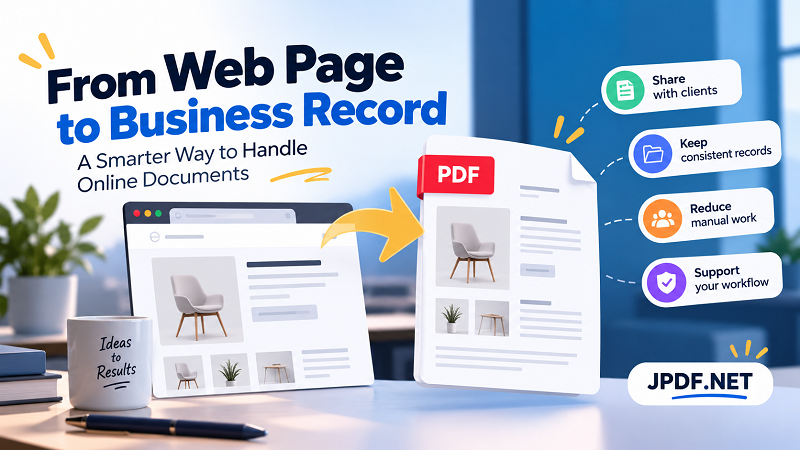
In each case, the goal is bigger than saving a page. The team needs a usable document that fits into an existing workflow. PDF is often a practical choice because it preserves a defined page layout and can be opened on many devices without requiring the recipient to use the original website.
There is one important distinction, though: a PDF is a representation of information at a particular point in time, not automatic proof that the information is accurate, approved, or legally binding. If the document supports a formal transaction, teams still need appropriate approval, version control, and recordkeeping procedures.
Four Ways Teams Handle Web-Based Information
Different methods solve different problems. Choosing the right one depends on what the recipient needs to do with the information, not simply which format is easiest to produce.
Sending a URL works well when the recipient needs the latest information and has permission to access the page. It avoids duplicate files, but the content may change, the page may disappear, or access may depend on an account.
Copying content into Word or another editor makes sense when substantial editing is required. Teams can reorganize sections, add comments, and incorporate information from several sources. The downside is the manual effort involved. Formatting may break, details can be missed, and the document may gradually drift away from the original source.
Using screenshots is useful when visual evidence matters, such as showing a particular interface state or documenting a specific on-screen issue. However, screenshots are less convenient when the recipient needs searchable text, structured information, or a complete document spanning several pages.
Exporting content as a PDF offers a middle ground when the objective is to share a defined version of the information in a consistent layout. It can reduce the need for manual reconstruction while giving recipients a familiar format for reviewing, printing, or storing documents.
None of these methods wins every time. The smart move is to match the method to the job instead of forcing every situation into the same process.
Where Manual Document Creation Starts to Break Down
Manual document creation often seems harmless when the workload is small. One employee copies a few details, fixes the formatting, and sends the file. The trouble starts when the same task appears dozens of times across different teams.
First, repetitive work introduces opportunities for error. A product code may be omitted, an old price may survive in a copied paragraph, or a date may not match the current record. These mistakes are especially easy to overlook when employees are switching between several browser tabs and documents.
Second, consistency becomes harder to maintain. Two employees may produce completely different files from the same webpage. One includes the relevant specifications; another leaves out the notes at the bottom. One uses a clear title and date; another saves the file as final-version-new2.pdf. The information may be similar, but the resulting documents are not equally useful.
Third, manual workflows consume time that could be spent on work requiring human judgment. Employees shouldn't have to rebuild the same basic document structure every time a familiar request arrives. They should be able to focus on reviewing the content, checking exceptions, and making sure the document serves its intended purpose.
The solution isn't necessarily to automate everything. Start by identifying repeated tasks, the information that must always be included, and the points where errors are most likely. Those details reveal which parts of the process deserve standardization first.
A Practical Decision Framework for Web-to-Document Workflows
Before creating a file, ask one simple question: what must the recipient be able to do with this information?
If the recipient needs to check changing information, a URL may be the better choice. If they must revise the content extensively, an editable document is more suitable. If they need a stable, shareable representation of a webpage, a PDF may fit the requirement.
For teams that regularly generate documents from website content, the next question is whether the process can be standardized. A page built from structured data and reusable HTML templates may be easier to turn into a consistent document than a collection of unrelated pages assembled manually.
For example, an online quotation system could use a standard template containing the customer details, quotation number, issue date, item descriptions, and applicable terms. The system can populate the template with the relevant data, generate a PDF, and present it for review before delivery. Employees still verify important details, but they no longer need to recreate the entire document from scratch.
For a one-off task, a lightweight tool may be enough. When a team repeatedly needs to convert html to pdf, a dedicated conversion workflow can make the process more convenient. The key is to select an approach that fits the frequency, complexity, and reliability requirements of the work rather than introducing unnecessary technical overhead.
Automation also deserves a sensible boundary. A conversion tool can help produce a document, but it cannot independently decide whether the source data is correct, whether a customer should receive particular information, or whether an approval is required. Those decisions belong in the surrounding business process.
What to Check Before Treating an Export as a Final Record
A file that opens successfully isn't necessarily ready to send. Before treating an exported document as a completed business record, review it against the purpose for which it was created.
Check content completeness. Confirm that important information such as names, reference numbers, dates, prices, and relevant terms is present. If the source page contains expandable sections, tables, or dynamically loaded content, make sure the export includes what the recipient actually needs.
Verify readability and structure. Headings should remain understandable, tables should be legible, and essential information shouldn't be clipped or unexpectedly omitted. A document that looks fine on one screen may be harder to read when printed or opened on another device.
Identify the version. For recurring business documents, consider including a document number, issue date, revision identifier, or other appropriate reference. These details help people distinguish between copies when information changes over time.
Review privacy and permissions. Webpages can contain customer details, internal notes, or other information that shouldn't be distributed indiscriminately. Check the final file before sharing it, especially if the source page displays information based on a logged-in user or a particular transaction.
Apply the right level of approval. A routine reference document may need only a quick review. A financial quotation, contractual attachment, or regulated record may require a more formal approval process. Follow the applicable business rules instead of assuming that a successful export makes a document official.
These checks don't need to become a giant checklist for every file. Build the review around the risks of the document type, and reserve more rigorous controls for situations where an error would have greater consequences.
Making the Workflow Easier Without Adding More Busywork
A good web-to-document workflow should feel almost boring in the best possible way: people know where the information comes from, how the document is created, and what must happen before it is shared.
Start by defining the source of truth. If customer information comes from a CRM or quotation data comes from an internal system, use that authoritative source rather than asking employees to retype information from a webpage whenever possible.
Next, standardize the document structure. Decide which fields are mandatory, how the document should be named, and where completed files belong. A consistent naming convention and storage location can be more valuable than a complicated automation system.
Then, establish clear review points. Routine documents may follow a lightweight process, while documents involving money, sensitive information, or contractual commitments may require additional approval. The objective is to make quality control predictable without slowing down every task.
Finally, measure whether the workflow is actually improving. Look at the time required to prepare a document, how often files need correction, whether employees can locate the right version, and how many manual steps remain. These practical indicators help teams decide whether a simple tool is sufficient or a more integrated solution would provide meaningful value.
For higher-volume operations, HTML templates and automated PDF generation can be connected to existing business systems. For smaller teams, a straightforward conversion tool and a repeatable review process may deliver most of the benefit without requiring a major technical project.
Build Documents Around the Job They Need to Do
Websites are excellent for delivering live information, but business processes often need something more deliberate: a document that can be reviewed, shared, referenced, and stored in the right context. The best workflow doesn't convert every webpage by default. It identifies when a separate document is useful and creates one without unnecessary manual work.
Start with the tasks your team repeats most often. Choose the appropriate output format, standardize the information that must be included, and add review steps that reflect the risks involved. Once those foundations are in place, automation becomes a practical way to improve consistency rather than another layer of complexity.
The end goal is simple: less time rebuilding information, fewer avoidable mistakes, and business documents that are ready for the work they need to support.