A folder full of PNG files can look completely normal when you are working on a design project. Open one image, then another, then another. Everything is there.
- A Folder of Images Is Not Automatically a Document
- When Multiple PNG Files Start Acting Like Pages
- The Problem With Sharing 15 Individual PNG Files
- Think of Your Images as a Sequence, Not a Collection
- Where This Workflow Comes in Handy
- Build a Cleaner Visual Document
- Turn the Finished Image Set Into One PDF
- Keep the Original Files, Share the Document
- The Real Upgrade Is Organization
The problem starts when someone asks you to send the whole thing.
Suddenly, you are looking at fifteen image files with names like final.png, final2.png, final-new.png, and final-new-2.png. Maybe they are product visuals. Maybe they are diagrams, charts, interface mockups, educational graphics, or pages of a presentation. Individually, the files make sense. Together, they are supposed to tell a story.
That is when a collection of images starts behaving less like a folder and more like a document.
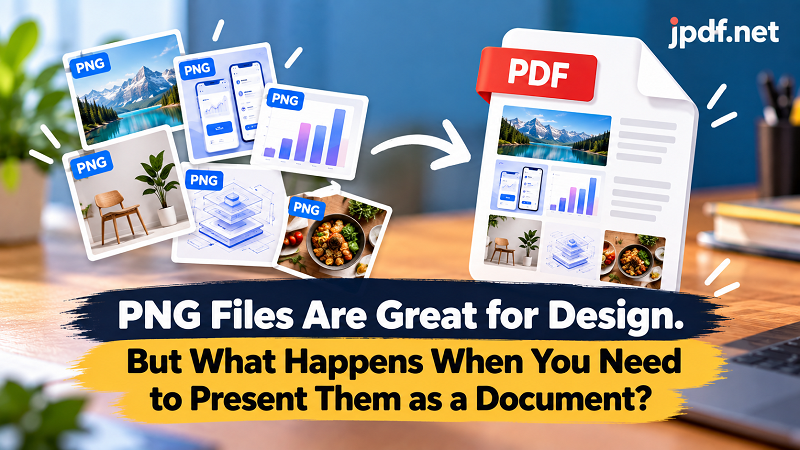
A Folder of Images Is Not Automatically a Document
PNG is excellent for visual content. It keeps graphics sharp, works well for screenshots and illustrations, and is widely supported across devices and applications.
But file format and workflow are two different things.
You can have twenty excellent PNG files and still have a terrible way of presenting them. The images may be difficult to view in the right sequence, inconvenient to send as a group, or awkward to print. Someone reviewing the material might have to open each file separately just to understand how everything fits together.
The issue is not that PNG is a bad format. It is that individual image files are not always the best container for a collection of related visual information.
Once the images become part of a sequence, putting them into a document can make the entire collection easier to handle.
When Multiple PNG Files Start Acting Like Pages
Imagine a designer preparing six screens from an app interface for a client review.
Screen 1 explains the home page. Screen 2 shows the search experience. Screen 3 covers the results page. Screens 4 through 6 continue the journey.
These are not really six unrelated images. They are six parts of one presentation.
The same thing happens with diagrams. A technical process might have several visual stages. A training guide might contain a series of illustrated instructions. A product presentation might use separate PNG graphics for different features.
The moment the order matters, the images begin to behave like pages.
That shift is worth noticing because it changes how you should think about the files. Instead of asking, “How do I send these images?” you can ask, “How do I present this information as one coherent piece?”
The Problem With Sharing 15 Individual PNG Files
Sending one image is easy. Sending fifteen is a different story.
The recipient has to open multiple attachments, determine their order, and keep track of which files belong to the same project. If the filenames are unclear, the process becomes even more tedious.
Printing can create another headache. Individual image files may not have consistent dimensions, orientation, or page proportions. What looks perfectly organized on a screen can become surprisingly awkward when moved to paper.
There is also the simple matter of storage. One project with 20 related graphics is easier to reference when it has a clear container instead of becoming another miniature pile of files inside a folder.
A document gives the collection a beginning, an end, and an order.
That may sound like a small improvement. When you work with visual assets regularly, it is anything but small.
Think of Your Images as a Sequence, Not a Collection
Here is a useful mental switch: stop looking at your PNG files as individual objects and start looking at them as steps in a sequence.
For example:
Image 01 → Image 02 → Image 03 → Image 04
could become:
Page 1 → Page 2 → Page 3 → Page 4
The information has not fundamentally changed. The presentation has.
This approach works especially well when every image contributes to the same purpose. A set of product diagrams becomes a product guide. A group of instructional graphics becomes a visual tutorial. A collection of charts becomes a report section.
The document format gives the images context without requiring you to redesign the original artwork.
Where This Workflow Comes in Handy
There are plenty of everyday situations where this simple shift can save time.
- Design reviews: Put multiple interface screens or mockups into one file so reviewers can move through the work in sequence.
- Technical documentation: Combine diagrams and visual explanations into a document that can be referenced alongside written instructions.
- Product presentations: Keep related product graphics together instead of sending a long list of individual attachments.
- Educational materials: Turn a series of illustrations, diagrams, or visual exercises into something students can follow from beginning to end.
- Reports and proposals: Visual charts and supporting graphics can become part of a single presentation-ready file.
In all of these cases, the PNG files still have value on their own. The PDF simply gives the collection another layer of organization.
Build a Cleaner Visual Document
The best results usually come from doing a little preparation before converting anything.
Start by deciding what belongs together. Not every PNG in your downloads folder needs to be part of the same document.
Then establish the order. If the images tell a story, explain a process, or represent stages of a project, the sequence should feel natural to someone seeing it for the first time.
Next, check dimensions and orientation. A collection containing wildly different proportions can feel inconsistent once placed into a document. You do not necessarily need every image to have identical dimensions, but you should know how they will appear together.
Finally, open each image and make sure it is actually the version you want to use. The file named final-final.png has a suspicious reputation for a reason.
Turn the Finished Image Set Into One PDF
Once your images are selected and arranged in the order you want, you can use a png to pdf converter to package them into a single document.
This is particularly useful when the goal is not to edit the original graphics but to present them together. The PNG files can remain available as source assets while the PDF becomes the convenient version for reviewing, sharing, printing, or archiving.
Keeping both versions can be a smart workflow. The original images remain editable and reusable, while the PDF acts as a snapshot of the finished collection.
That separation also prevents a common mistake: treating the presentation copy as a replacement for the source files.
Keep the Original Files, Share the Document
There is no need to choose one format forever.
PNG is still the right format when you need individual graphics, transparency, editing, design work, or reuse in another project. The PDF serves a different purpose: it turns a group of related visual assets into something that behaves like a single document.
Think of it as creating two layers.
The PNG files are your building blocks.
The PDF is the assembled version.
That distinction is useful because different people often need different things. A designer may need the original graphics. A client may only need the presentation. A manager may want a document to review. A printer may need a fixed layout.
One collection can support all of those workflows without forcing everyone to work with the same file type.
The Real Upgrade Is Organization
Converting images is easy. Knowing when the conversion actually improves your workflow is the more interesting part.
If you have one PNG, there may be nothing to solve. If you have a dozen related images that need to be reviewed, shared, printed, or archived together, the situation changes.
At that point, you are no longer just managing image files. You are managing information.
And information becomes easier to work with when it has structure.
So the next time you open a folder packed with PNG graphics, do not immediately ask which file format you should use. First ask what those images are trying to accomplish together.
If they form a sequence, a presentation, a guide, or a visual record, they may already be a document waiting to be assembled.