There’s a strange habit in the digital world: when we're not sure how much information someone needs, we send everything. A 40-page report for one number. An entire product catalog for one product. A complete contract when the recipient only needs to review a few pages. It feels safe because nothing important gets left out, but there’s a catch: the more information you send, the more work you create for the person receiving it. A complete PDF isn't automatically a useful PDF. Sometimes, the best document is simply the one that gives people exactly what they need without making them dig for it.
- A Complete PDF Isn't Always a Useful PDF
- When Sending the Entire PDF Is Probably Overkill
- The Hidden Cost of Sending Everything
- Ask These Four Questions Before You Hit Send
- When Splitting a PDF Is the Better Move
- Complete Doesn't Always Mean Helpful
A Complete PDF Isn't Always a Useful PDF
A full document has an important role. It preserves context, keeps a complete record, and makes sense when someone genuinely needs to understand the entire story. But storing a document and sharing a document are two very different things. Your archive may need every page, while your client, coworker, customer, or manager may only need one section. That's why “Is this the complete document?” isn't always the best question. A better question is “What does this person actually need to do?” Once you start thinking about the recipient's task instead of the size of your own file, the right version of the document becomes much easier to identify.
When Sending the Entire PDF Is Probably Overkill
Consider a contract where someone only needs to review and sign a specific section. Sending the entire agreement isn't necessarily wrong, but it forces the recipient to navigate through pages that may have nothing to do with the immediate task. The same thing happens with product catalogs. A business might have a 70-page catalog while a customer is interested in one particular product. Sending all 70 pages gives them more information, but not necessarily more value. Reports create the same problem. If your manager needs the results from one department, attaching the entire company report can bury the useful information beneath dozens of unrelated pages. Even supporting evidence can become excessive. If you're trying to prove a specific point with a particular chart, invoice, table, or signed page, surrounding it with pages that don't matter can make the evidence harder to find. And when you're submitting documents for an application, claim, registration, or other formal process, “I'll just send everything” isn't always the safest approach. If the recipient asks for specific pages, giving them those pages makes their job easier and reduces the chance of confusion.
The Hidden Cost of Sending Everything
The biggest problem with an oversized document isn't always file size. It's attention. People rarely read a PDF from page one to the final page like a book. They scan, search, jump between sections, and look for the information that answers their immediate question. When that information is surrounded by irrelevant material, the recipient has to do extra work before they can even start doing their actual job. There can also be a privacy issue. A long document may contain internal notes, personal information, draft material, pricing details, or other content that isn't relevant to the person receiving it. Sending only the necessary pages can reduce unnecessary exposure. Then there's the version problem. The larger and more complicated the document, the easier it becomes for someone to reference the wrong section, overlook an update, or misunderstand which part of the file actually matters. More information can be useful, but more information without purpose is often just more noise.
Ask These Four Questions Before You Hit Send
Before attaching a large PDF, take a few seconds to think about the recipient rather than the file sitting on your computer. First, what exactly do they need? If the answer is a particular page, section, table, or chapter, you already have a strong reason to create a more focused document. Second, do they need the full context? Some documents absolutely require surrounding pages, and removing them can make the information misleading. Third, are there pages they shouldn't receive? This matters when a document contains confidential, internal, personal, or simply irrelevant information. Fourth, what are they going to do with the file? Reading, signing, printing, reviewing, uploading, and approving are different tasks, and the ideal document can look very different depending on the job. The goal isn't to make every PDF as short as possible. The goal is to make the document intentional.
When Splitting a PDF Is the Better Move
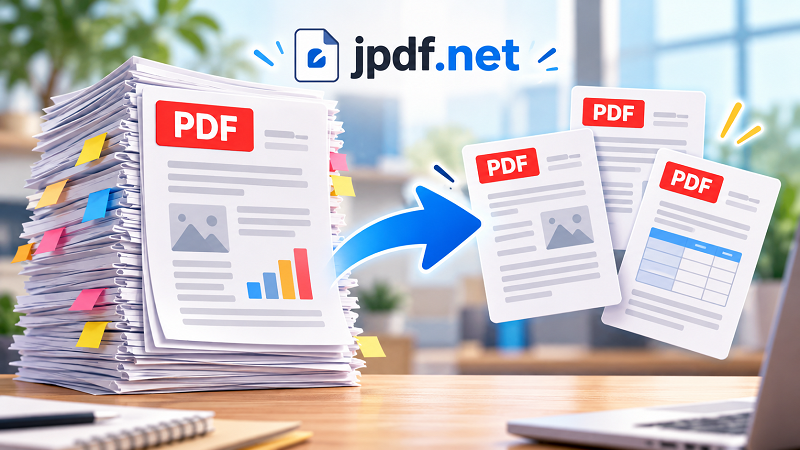
Sometimes the simplest solution is to turn one large document into smaller, purpose-built files. A long report might contain a five-page section that needs to go to another department. A training manual might have one chapter that should be shared with new employees. A contract package might contain several pages that need to be reviewed separately. A portfolio might need different sections for different applications. In these situations, a split pdf document workflow can help create focused files without forcing the recipient to search through pages that aren't relevant to them. The technology itself isn't the interesting part. The decision behind it is. You are taking a document designed to contain everything and creating a version designed to accomplish one specific task.
Complete Doesn't Always Mean Helpful
There is a useful difference between a document being complete and a document being effective. For archiving, keep everything because the complete record matters. For collaboration, share the information that helps the other person do their job while providing enough context to avoid confusion. For submissions, follow the exact requirements instead of assuming more pages are automatically better. For presentations, remove distractions so the audience can find the important information quickly. And for everyday communication, try to give people the shortest reasonable path to the answer. A good PDF isn't simply a container for information; it's a communication tool. The next time you're about to attach a 60-page document because “everything is in there,” pause for a moment. Everything being there might actually be the problem. Sometimes the most professional document is the one that knows what to leave out.