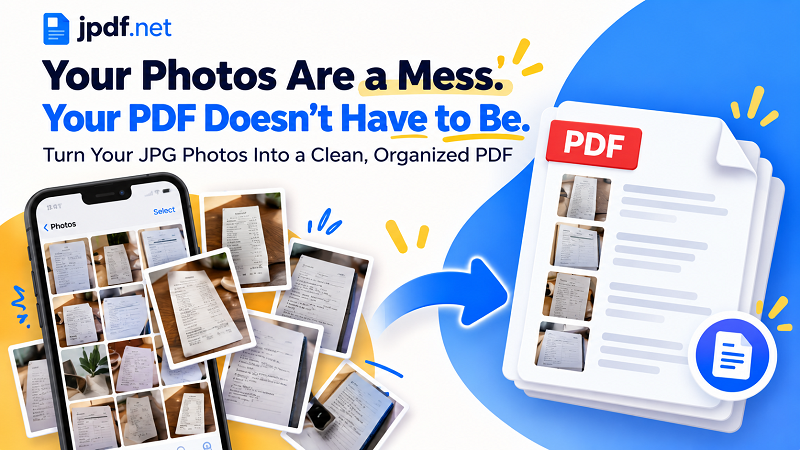
Your phone camera roll was never designed to be a filing cabinet. One minute you're taking a photo of a receipt, the next you're photographing page two of a form, then page three, then realizing page one is somewhere between a screenshot and a picture of your lunch.
- Photos and Documents Have Different Jobs
- The Real Problem Isn't Conversion
- Build the Document Before You Build the PDF
- What Should Become a Page?
- The Order of Your Photos Becomes the Order of Your Document
- When a Batch of JPGs Finally Becomes One File
- Your Final PDF Should Pass the 30-Second Test
- A Camera Roll Is Not a Document — Until You Organize It
The information is there. The organization isn't.
That's where turning JPG images into a PDF can make a surprisingly big difference. But here's the trick: the conversion itself isn't the hard part. The real job is getting your photos into the right shape before they become one document.
Photos and Documents Have Different Jobs
A JPG is great at being one thing at a time. It's a photo of a receipt. A picture of a handwritten note. A scanned page. A product image. A screenshot.
A PDF, on the other hand, is built to bring multiple pieces together.
Think of it as the difference between having 15 loose sheets of paper on your desk and putting those same 15 sheets into a properly ordered folder. The information hasn't changed. Finding and using it has.
This distinction matters when you're dealing with photographed documents. A collection of individual JPG files may contain everything someone needs, but sending them one by one forces the recipient to open, sort, and keep track of multiple files. A single PDF creates a more coherent package.
The Real Problem Isn't Conversion
Here's the part people often skip: don't convert your photos immediately.
First, look at what you actually have.
Are there duplicate pictures? Is one page upside down? Did you accidentally photograph the same receipt twice? Is page four sitting before page two? Did you capture an extra image of the table, your desk, or your thumb?
These tiny problems are harmless when the images are sitting in your camera roll. They become much more annoying after you've turned them into a document.
A few seconds of cleanup beforehand can save you from opening the finished PDF and discovering that the entire thing needs to be rebuilt.
Build the Document Before You Build the PDF
Start with a simple sorting pass. Remove images that don't belong. Keep the photos that contain useful information. Then put them in the order a reader should see them.
For a three-page form, that might be Page 1, Page 2, Page 3. For a set of receipts, you might choose chronological order. For class notes, the natural order may follow the lesson or chapter.
You can also rotate photos at this stage. A sideways page might be perfectly readable on your phone, but it will look ridiculous when it becomes one page in an otherwise upright PDF.
The goal is simple: make the photo collection make sense before turning it into a document.
What Should Become a Page?
Not every photo deserves automatic promotion to "PDF page."
A receipt photographed from above can usually become one page. A multi-page application can use one photo for each photographed sheet. A set of handwritten notes can be grouped in the order they were created.
Product photos are different. If you're simply sharing several product pictures, a PDF may not actually improve the experience. The format becomes useful when those images need to behave like a document rather than remain a gallery of separate photos.
This little distinction prevents a common mistake: converting files just because you can instead of because the resulting document will be more useful.
The Order of Your Photos Becomes the Order of Your Document
Once your images are inside a PDF, sequence suddenly matters.
Imagine submitting a photographed contract where the signature page appears before the first page. Or sending receipts where the latest transaction appears between two older ones. Or combining homework pages in the wrong order.
Nothing is technically broken. Yet the document feels broken.
That's why ordering your JPG files before conversion is worth the effort. A good sequence creates a natural reading flow, allowing someone to move from the first page to the last without having to solve a puzzle along the way.
For anything important, take one final look at the filenames or thumbnails before converting. Five seconds here can prevent a surprisingly awkward email later.
When a Batch of JPGs Finally Becomes One File
Once the photos are cleaned up, rotated, and arranged, the actual conversion becomes the easy part.
For a handful of images, the process is straightforward: select the photos, preserve their intended order, and turn the collection into a single PDF. With larger batches, organization becomes even more valuable because manually fixing mistakes after conversion gets increasingly tedious.
This is where you can convert jpg to pdf and turn a collection of individual images into one document that is much easier to store, send, print, or review.
The important part is what happens before that button gets pressed. A converter can combine your files, but it cannot magically know that Photo_038 belongs before Photo_041 or that Photo_039 is a duplicate.
That's your job. Luckily, it's the easy part.
Your Final PDF Should Pass the 30-Second Test
Before sending the finished document, give it a quick inspection. You don't need a forensic investigation. Just open it and scan through the pages.
Are they in the right order? Are all pages upright? Did you accidentally include duplicates? Is anything missing? Can you read the important text without zooming into oblivion? Do the pages look reasonably consistent?
If the answer is yes across the board, you're done.
If not, fix the source images and create the document again. It is usually faster to correct two or three photos than to spend the next ten minutes wondering why page seven looks upside down.
A Camera Roll Is Not a Document — Until You Organize It
JPG images are excellent building blocks, but they don't automatically become a useful document just because you put them into a PDF.
The better approach is to treat conversion as the final step of a simple workflow: collect the right images, remove the junk, arrange the sequence, check orientation, review the result, and then create the PDF.
That small change in mindset makes the process much cleaner. Instead of dumping a pile of photos into a file and hoping for the best, you're deliberately building a document from the images you already have.
Your camera roll can stay chaotic. Your PDF doesn't have to be.