There’s a special kind of digital chaos that happens when a project starts collecting PDFs.
- The “I’ll Organize It Later” Problem
- Start by Deciding What Belongs Together
- Give the Final Document a Logical Order
- Check the Files Before You Combine Them
- When Multiple PDFs Should Become One
- Don't Forget the Final Quality Check
- A Cleaner PDF Workflow Starts With Fewer Decisions
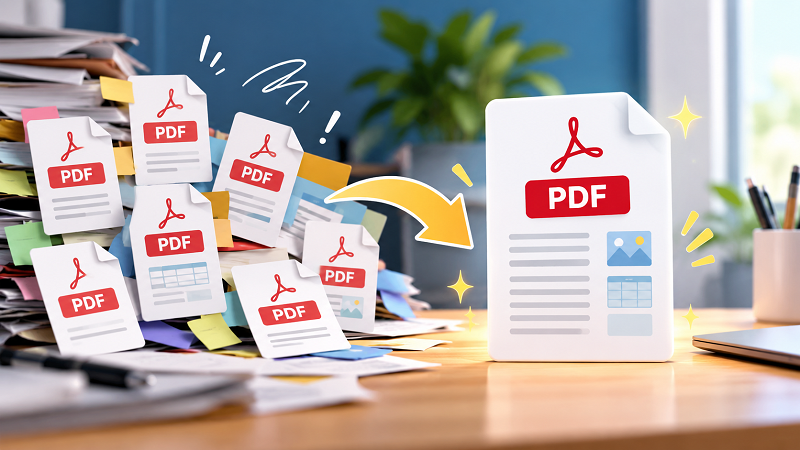
One file for the proposal. Another for the pricing sheet. Three versions of the report. A handful of scanned pages. An invoice hiding somewhere between two old drafts. Suddenly, the folder that was supposed to make life easier looks like a digital junk drawer.
The problem usually isn’t that you have too many documents. It’s that the documents aren’t organized around how you actually use them.
The “I’ll Organize It Later” Problem
Most PDF clutter doesn’t happen overnight. It builds quietly.
You download a document and give it a vaguely useful name. Someone sends you an updated version. You save that one too. Then you export another section from a presentation as a PDF because you only need those pages for now.
A few weeks later, you have files named things like report-final.pdf, report-final-2.pdf, report-final-new.pdf, and the terrifying report-final-new-USE-THIS.pdf.
Sound familiar?
At that point, opening each file individually just to figure out what belongs where becomes a productivity tax. You spend more time managing documents than actually working with them.
A better approach is to think about your PDFs as parts of a document system rather than isolated files.
Start by Deciding What Belongs Together
Before combining anything, ask a simple question: Would I naturally read or share these files as one document?
If the answer is yes, they probably belong together.
For example, imagine preparing a client project. You might have a cover page, project overview, pricing information, terms, and supporting documents stored separately. Keeping those pieces scattered across multiple files makes sense while you're working on them, but it becomes inconvenient when you're ready to send the complete package.
The same idea works for school assignments, business reports, application documents, meeting materials, receipts, and research notes.
But don't combine files just because you can. A giant PDF containing unrelated information can be just as annoying as a messy folder.
The goal isn't one file for everything. The goal is one useful file for everything that belongs together.
Give the Final Document a Logical Order
Once you've decided which files belong together, the next challenge is sequence.
This sounds trivial until you open the finished PDF and discover that the appendix somehow appears before the introduction.
A simple structure usually works well:
Introduction → Main content → Supporting information → References or appendix
For business documents, that might become:
Cover → Overview → Proposal → Pricing → Terms → Supporting documents
For a personal document package, the order might be:
Cover page → Main form → Identification documents → Supporting pages
There isn't one universal formula. The important thing is that someone opening the final file should understand where they are without having to play detective.
Check the Files Before You Combine Them
Here's a step people often skip: inspect the individual PDFs first.
Open each file and look for duplicate pages, outdated information, blank pages, strange rotations, or documents that clearly belong somewhere else. Also check filenames. If you have five files with nearly identical names, confirm which version is actually current.
This tiny cleanup step can save you from creating a beautifully organized PDF containing the wrong information.
It's also worth checking page orientation. A landscape spreadsheet buried between portrait pages isn't necessarily a problem, but if the document feels awkward to scroll through, you'll notice it immediately.
Think of the final PDF as a finished product, not a storage box.
When Multiple PDFs Should Become One
There are a few situations where consolidating documents makes particular sense.
- Sending a complete package: Instead of attaching eight separate files to an email, a single document gives the recipient one thing to open and review.
- Creating an archive: Finished project materials are easier to store when related documents live together.
- Sharing with clients or coworkers: One organized PDF reduces the chance that someone misses an attachment.
- Preparing documents for submission: Some websites and organizations require multiple pages or supporting materials to be submitted as one PDF.
- Building reference material: Research papers, meeting notes, and supporting documents can become much easier to navigate when they're packaged logically.
In these situations, a merge pdf tool can turn a collection of separate documents into one file without forcing you to rebuild everything from scratch.
Don't Forget the Final Quality Check
Before sending the finished document, open it from beginning to end.
Check the page count. Scroll through the transitions. Make sure the first page is actually first. Look for accidental duplicates and confirm that the important information is still readable.
If the file is going to someone else, imagine opening it for the first time. Would you immediately understand what it contains?
That's a much better test than simply asking whether all your files made it into the final PDF.
And if the resulting document is enormous, don't panic. Large PDFs can often be reduced later depending on what's inside them. Scanned pages and image-heavy documents, in particular, can become surprisingly large.
A Cleaner PDF Workflow Starts With Fewer Decisions
The best document workflow isn't necessarily the one with the most folders, naming rules, or complicated systems. It's the one that makes the next action obvious.
When you're working on a project, keep individual PDFs while they're still being edited. Once a collection is complete and needs to be shared, archived, or submitted, turn related files into a single, logical document.
That small change can make your files easier to find, easier to send, and much less annoying to manage.
Because let's be honest: nobody wants to spend ten minutes hunting through a folder just to find page 7 of a document they were supposed to send five minutes ago.
A clean PDF won't solve every workflow problem. But eliminating a pile of unnecessary files from your desktop is a pretty good place to start.