A PDF can be exactly what you need for reading and still be completely wrong for sharing.
- A Good PDF Can Still Be Awkward to Share
- The Difference Between Reading a Document and Showing It
- Think About Where the File Is Going
- Why JPG Works Well for Certain PDF Pages
- Not Every PDF Page Should Become a JPG
- JPG vs. PNG: The Choice Isn't Just About File Extensions
- A Better Way to Think About PDF Conversion
- Turning a PDF Page Into Something You Can Actually Use
- Don't Throw Away the Original
- The Right Format Depends on the Job
That's one of those small digital annoyances nobody thinks about until it happens. You have a polished document sitting on your computer. It opens perfectly. The pages look great. Everything is exactly where it should be. Then you try to post one page somewhere, add it to a presentation, send it through a messaging app, or use it as a visual on a website — and suddenly the PDF feels like the wrong format for the job.
Nothing is wrong with the document. The problem is where you're trying to take it.
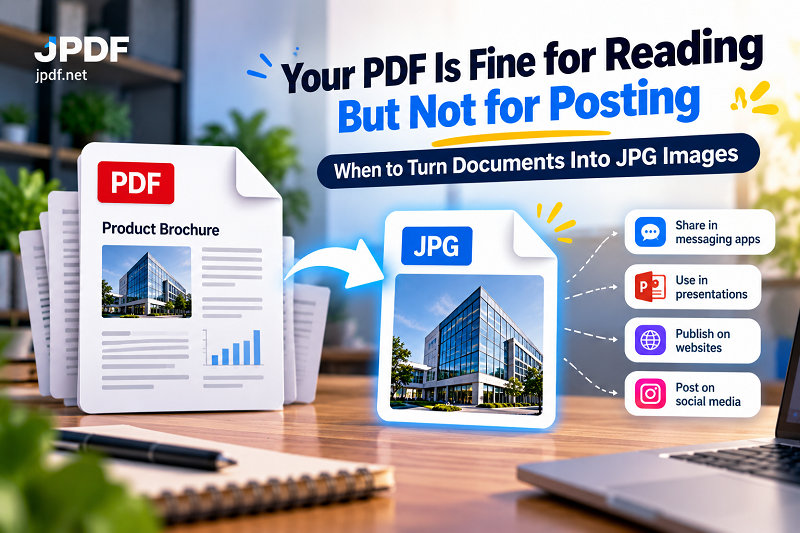
A PDF is designed to behave like a document. Sometimes you need the content to behave like an image instead.
A Good PDF Can Still Be Awkward to Share
Imagine you have a four-page product brochure, but you only want to show one product page to someone in a chat. Sending the entire PDF works, technically. But now the recipient has to open a document, find the right page, and scroll through everything just to see the visual you wanted to share.
An image removes that extra step.
The same thing happens with reports, menus, certificates, flyers, charts, scanned pages, catalogs, event materials, and other documents where one particular page contains the information worth showing.
This is where file format becomes less about technical specifications and more about context. The right format depends on what the recipient needs to do next.
If they need to read the entire document, keep the PDF. If they simply need to see one page as visual content, an image can be much more convenient.
The Difference Between Reading a Document and Showing It
There's a subtle distinction between document consumption and visual sharing.
When someone receives a PDF, they generally expect to open it and move through its pages. They may search for text, zoom in, print it, download it, or save it for later. That's exactly what PDFs are good at.
An image behaves differently. You see it immediately. It can sit inside a chat conversation, appear directly in a presentation, be uploaded to a website, or become part of a graphic without requiring another document viewer.
That makes JPG useful when your goal isn't to preserve the document experience. Your goal is to extract the visual information and make it easier to move around.
It's a small change in perspective, but it can save a lot of unnecessary clicking.
Think About Where the File Is Going
Before converting anything, ask yourself one simple question: Where will this file end up?
If you're emailing a legal agreement to someone who needs to sign it, don't turn the agreement into a pile of JPG images. Keep the PDF.
If you're adding a page from a report to a presentation, an image may be far more practical.
If you're sending a document through a messaging app and the recipient only needs to see a particular page, an image can eliminate the extra download-and-open routine.
If you're publishing a visual on a website, you may also find that an image fits the publishing workflow more naturally than an entire PDF.
The destination often tells you more about the right format than the source document does.
Why JPG Works Well for Certain PDF Pages
JPG has become almost boringly universal — and that's actually one of its strengths.
Phones, browsers, messaging platforms, presentation software, websites, editing applications, and countless other tools understand JPG without making a fuss. You don't need to explain what the file is or how to open it.
JPG can also be useful when the page contains photographs or other complex visual content where keeping the file relatively compact matters. Instead of carrying an entire document around, you can turn the page you need into a familiar image format and use it wherever images are supported.
That doesn't mean JPG is automatically superior to PDF. It means JPG solves a different problem.
The PDF preserves the document. The JPG makes a piece of that document easier to treat as visual content.
Not Every PDF Page Should Become a JPG
This is where it pays to resist the temptation to convert everything.
A page filled with tiny text may not be the best candidate for JPG, especially if readability is critical. A contract, application form, or technical document often needs the properties of the original PDF. Converting it into an image can make searching, copying, selecting text, and handling the document more difficult.
There's also the question of scale. A page that looks fine on your phone might not look nearly as good when stretched across a large presentation slide.
Before converting, think about what information must survive the transition.
If the page is mainly visual, you're probably in comfortable territory. If the page depends heavily on searchable text or precise document structure, keeping the PDF may be the smarter move.
JPG vs. PNG: The Choice Isn't Just About File Extensions
People often treat JPG and PNG as interchangeable because both are image formats. They're not quite the same thing.
JPG is particularly useful when keeping image files reasonably compact is important, especially with photographic or visually complex content. PNG is often better suited to graphics where crisp edges, text, diagrams, and similar details need to remain clean.
So if you're converting a PDF page containing a photograph-heavy design, JPG can make plenty of sense. If you're turning a page dominated by fine text and sharp graphic elements into an image, you may want to consider whether PNG is a better fit.
There is no prize for choosing the “most powerful” format. Choose the one that matches the content and the destination.
A Better Way to Think About PDF Conversion
Instead of starting with “How do I convert this PDF?”, start with “What do I need after conversion?”
That small change prevents a lot of unnecessary work.
If you need one visual for a presentation, identify that page first. If you're sharing a specific section with someone, don't automatically convert the entire document. If you're preparing images for a website, consider how large they actually need to be. If you're archiving the original document, keep the PDF even after creating an image copy.
This approach gives you two useful versions when necessary: the original document for complete information and the image for quick visual distribution.
You don't have to make one file do every job.
Turning a PDF Page Into Something You Can Actually Use
Once you've decided that an image is the right format, the process doesn't need to become another mini project.
Start with the original PDF. Select the page or pages that matter, convert them, and inspect the resulting images before using them elsewhere. Pay attention to small text, graphics, photographs, and the overall framing. If the image is going into a presentation or website, check how it looks at its actual intended size rather than judging it only while zoomed in.
A dedicated pdf to jpg converter can make this workflow straightforward. Instead of opening a PDF, taking screenshots, cropping them, renaming everything, and hoping the quality holds up, you can deliberately turn the document pages into JPG images and move on with the actual task.
The conversion is the easy part. Choosing the right pages and checking the result is what makes the workflow useful.
Don't Throw Away the Original
One of the easiest mistakes is replacing the PDF with the image version.
Keep the original.
The JPG is a derivative designed for a particular purpose. The PDF remains your source document. If you later need to print the full file, search its text, send the complete document, or extract another page, you'll be glad you kept it.
Think of the JPG as a working copy for a specific destination, not a replacement for the source.
This also keeps your workflow flexible. One document can produce several useful outputs without forcing you to rebuild anything later.
The Right Format Depends on the Job
There isn't a universal winner between PDF, JPG, and PNG. Each one earns its place in a different situation.
PDF is excellent when the document itself matters. JPG is useful when a page needs to travel as a lightweight, widely supported image. PNG can be a strong choice when sharp graphics and text deserve extra attention.
The mistake is not choosing the “wrong” extension. The mistake is choosing a format without thinking about what happens after you save the file.
So the next time you have a perfectly good PDF that suddenly feels awkward to post, share, or place into another piece of content, don't fight the format.
Ask what the destination actually needs.
Sometimes the best version of a document isn't another document at all. It's one clean image that contains exactly the part you wanted people to see.