Ever had a folder full of perfectly good documents but no actual document?
- Start With the Story, Not the File Names
- A PDF Packet Is More Than Several Files Put Together
- The Five Parts of a Clean Document Packet
- 1. Introduction
- 2. Main Document
- 3. Supporting Information
- 4. Appendices
- 5. Final Pages
- Make a Page Map Before You Combine Anything
- Version Control Is Where Good Packets Usually Go Bad
- Watch for Pages That Don't Belong
- Not Every File Needs to Be Merged
- The Final Assembly Checklist
- Build the Document Your Reader Actually Needs
You have the proposal. The pricing sheet. The supporting files. Maybe a cover letter, an appendix, and a signature page hiding somewhere in the mix. Technically, everything is there. Practically, the person receiving it has to play detective.
That is the difference between having the right files and building the right document.
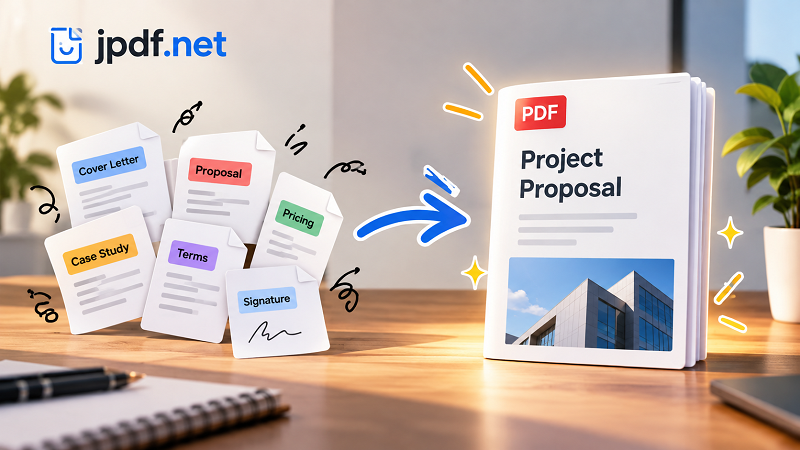
A polished PDF packet should feel like one complete piece of information, not six unrelated files thrown into the same folder. Whether you're preparing a client proposal, project submission, application, business report, or contract package, the goal is simple: give the reader everything they need in an order that makes sense.
Start With the Story, Not the File Names
The easiest mistake is to open your folder and start combining files based on whatever appears first.
Don't.
Before touching the files, decide what the finished document is supposed to communicate. Think about the reader's journey from the first page to the last.
A simple structure might look like this:
Introduction → Main document → Supporting information → Additional material → Final pages
For a client proposal, that could become:
Cover → Proposal → Scope of work → Pricing → Case studies → Terms
For an application:
Cover letter → Resume → Supporting documents → Certificates → Additional information
The exact structure will change depending on the purpose, but the principle stays the same: the document should have a reason for every section being where it is.
A PDF Packet Is More Than Several Files Put Together
Combining files is the mechanical part. Building a useful packet is the thinking part.
Imagine sending someone these six files:
- final-proposal.pdf
- pricing-new.pdf
- case-study-2.pdf
- terms.pdf
- signed-page.pdf
- proposal-final-final2.pdf
Nothing is technically impossible to open. Yet the recipient still has to figure out which version is current, what should be read first, and whether anything is missing.
Now imagine those same pages presented as one organized document with a logical sequence.
Same information. Completely different experience.
That is why document assembly deserves more attention than simply putting pages together.
The Five Parts of a Clean Document Packet
Most document packets can be broken into five useful sections.
1. Introduction
Start by giving the reader context. A cover page, title page, short introduction, or executive summary can establish what they're looking at and why it matters.
2. Main Document
This is the material the reader actually came for. It might be a proposal, report, application, agreement, or project document.
Don't bury it under unnecessary attachments.
3. Supporting Information
Supporting documents should strengthen the main document rather than interrupt it. Think references, specifications, supporting data, screenshots, credentials, or additional explanations.
4. Appendices
Longer supporting material usually belongs toward the end. This keeps the main flow readable while still providing detailed information for anyone who wants it.
5. Final Pages
Depending on the document, the final section might contain signatures, acknowledgments, contact information, terms, or other closing material.
Not every packet needs all five sections. The point is to create a deliberate structure rather than letting the file order make the decision for you.
Make a Page Map Before You Combine Anything
Here's a small trick that can save a surprising amount of frustration: make a page map.
You don't need fancy software. A simple list is enough:
01 — Cover
02 — Executive Summary
03–07 — Proposal
08 — Pricing
09–10 — Case Study
11–14 — Appendix
15 — Signature Page
This gives you a bird's-eye view before you commit to the final document.
It also makes missing pages much easier to spot. If the proposal should run from pages 3 through 7 and you only have four pages available, you've caught the problem before sending anything.
A page map is especially useful when documents come from different people. Instead of asking, “Did you send me everything?”, you can ask a much better question: “Which section is still missing?”
Version Control Is Where Good Packets Usually Go Bad
The most dangerous file in your folder isn't necessarily the broken one.
It's the one that looks correct but isn't the latest version.
proposal-final.pdf
proposal-final-new.pdf
proposal-final-2.pdf
proposal-final-REAL.pdf
We've all seen some variation of this chaos.
Before assembling your final packet, establish one source of truth. Check dates, pricing, names, signatures, page numbers, and other details that may have changed between versions.
If two files appear to contain the same section, don't assume they're interchangeable. Open them and compare the actual content.
A five-minute version check can prevent an awkward email explaining why the client received yesterday's pricing.
Watch for Pages That Don't Belong
A document can be technically complete and still feel messy.
Look for:
- duplicate pages
- blank pages
- outdated attachments
- pages from another project
- incorrect signatures
- missing covers
- unnecessary instruction pages
- appendices placed in the middle of the main content
This is the boring part of the workflow—and also the part that saves you from embarrassing mistakes.
The final PDF should contain everything necessary and nothing accidental.
Not Every File Needs to Be Merged
Here's an important distinction: making one PDF isn't automatically better.
Sometimes separate files are the smarter choice.
Keep documents separate when:
- the recipient needs to use them independently
- individual files will be edited later
- attachments have different audiences
- the files serve completely different purposes
- a system specifically asks for separate uploads
A single PDF makes more sense when the documents form one coherent package and the reader benefits from moving through them as a single sequence.
The question isn't “Can these files become one?”
The better question is:
“Should these files be experienced as one document?”
The Final Assembly Checklist
Before sending the finished packet, give it one last pass.
Structure
- Does the first page explain what the document is?
- Is the main content easy to find?
- Are supporting materials in a sensible location?
Content
- Are all required pages included?
- Are outdated versions removed?
- Are there duplicates or accidental blank pages?
Presentation
- Are pages in the correct order?
- Are orientations consistent?
- Are important images and tables readable?
- Do signatures appear on the correct pages?
Final review
- Open the exported PDF from the beginning.
- Don't rely on the individual source files.
- Read it as if you've never seen the project before.
That last step matters. The person receiving the document doesn't have your folder structure, your filenames, or the conversations that happened before the file was created. They only see the final packet.
Build the Document Your Reader Actually Needs
A professional PDF packet doesn't need to be complicated. It needs to be intentional.
Start with the reader's journey. Decide what belongs in the main document, what belongs in supporting material, and what should stay separate. Check versions before combining anything, create a simple page map, and review the final file from the recipient's perspective.
Once the structure is clear, the technical step is straightforward. If the documents genuinely belong together, you can merge pdf files into a single, organized packet that is easier to read, share, store, and submit.
The real goal isn't simply to produce one PDF.
It's to produce one document that makes sense.