Your phone can hold thousands of photos, but not every photo belongs in your camera roll forever. Some images are memories. Some are screenshots. Some are random pictures you took because you needed to remember something for five minutes. And then there are the photos that are actually documents in disguise.
- The Difference Between Having Photos and Having a Document
- 5 Situations Where a PDF Makes More Sense Than a Gallery Full of JPGs
- The Hidden Problem With Sending 8 Separate Images
- Before You Turn Photos Into a PDF
- From Camera Roll to One Usable File
- When You Should Keep the JPG Instead
- A Better Way to Think About Your Phone Photos
Think about the last time you photographed several pages of paperwork, receipts, notes, forms, or printed information. You probably ended up with a sequence of JPG files sitting between vacation photos and screenshots. The images are perfectly usable individually, but once you need to send, print, review, or archive them, the whole setup starts feeling unnecessarily messy.
That is where turning selected images into a single PDF can make a surprisingly big difference.
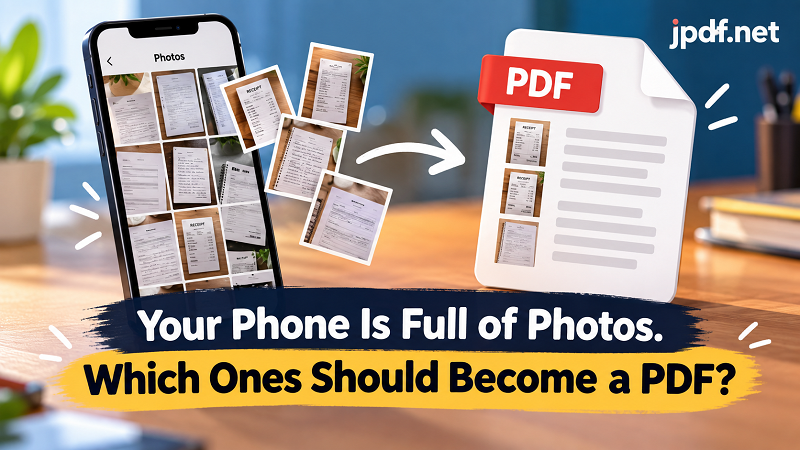
The Difference Between Having Photos and Having a Document
A JPG is perfectly happy being a picture. A document has a different job.
When you have one photograph of a receipt, keeping it as a JPG makes complete sense. But imagine having ten receipts from the same business trip, twelve photographed pages of an application, or eight pictures of handwritten meeting notes. You can technically keep everything as separate images, but now the responsibility of organizing the information falls entirely on you.
Which image comes first? Did you miss page seven? Which files belong together? Should you send twelve attachments or create a folder first?
A PDF changes the way those images behave. Instead of treating every image as an independent file, you can treat them as pages belonging to the same document. That small change becomes especially useful when the images have a shared purpose.
5 Situations Where a PDF Makes More Sense Than a Gallery Full of JPGs
You do not need to convert every photo on your phone. The useful question is whether several images are really pieces of the same document.
1. Scanned paperwork photographed with your phone
Maybe you do not have a scanner nearby. No problem. You photograph each page, check that everything is readable, put the pages in the right order, and turn the collection into one file. Suddenly, a stack of physical pages becomes a document you can send digitally.
2. Receipts and expense records
A collection of receipts can become annoying surprisingly quickly. Individual image files are difficult to review as a group, especially when their filenames tell you absolutely nothing. Putting related receipts into one PDF gives the entire batch a clear beginning and end.
3. Class, meeting, or project notes
Handwritten notes often start as individual photographs. If several photos belong to the same meeting or project, organizing them as pages makes them much easier to revisit later.
4. Multi-page forms and applications
Some forms are too long to photograph in a single shot. If you need to capture several completed pages, keeping each page as a separate image creates unnecessary friction when it is time to submit the paperwork.
5. Information you need to share with someone else
Your camera roll is organized for you. The person receiving ten random image attachments does not have the same context. A single document gives the recipient a much clearer package to open, read, and keep.
The Hidden Problem With Sending 8 Separate Images
Sending multiple images does not sound like a big deal until you actually have to work with them.
Attachments can arrive out of order. File names can be meaningless. One image might be rotated. Another might be cropped differently. A recipient may have to open each file individually just to understand what they are looking at.
There is also the simple problem of communication. When you say, “Here are the documents,” people generally expect a document. Sending a gallery of images technically gets the information across, but it does not necessarily create a clean experience.
A single PDF gives the collection a structure. Page one follows page two. Related images stay together. The recipient has one file to download, store, forward, or print.
That is not about making the file look fancy. It is about removing little points of friction that add up surprisingly fast.
Before You Turn Photos Into a PDF
The conversion itself is only one part of the job. The quality of the finished document depends heavily on the images you start with.
First, check the order. If the photos represent pages, arrange them before converting rather than discovering afterward that page four somehow ended up before page two.
Next, look at orientation. A sideways document might be perfectly readable on your phone because your screen rotates automatically, but it can become awkward when opened as part of a fixed document.
Then check the edges. If you photographed a sheet of paper on a desk, make sure important information is not hidden near the edge of the frame. Straightening and cropping can also make the final pages look much cleaner.
Finally, zoom in on small text. A photo that looks sharp in your phone's gallery may not be nearly as comfortable to read once it becomes a document. A few seconds of checking now can save a frustrating re-do later.
From Camera Roll to One Usable File
Once you have selected the right images, the workflow is straightforward: choose the pages, put them in the correct sequence, and convert them into a single document. If you need a simple way to turn those images into one file, a jpg to pdf tool can handle that part without requiring you to manually rebuild the document.
The important part is not the conversion button itself. It is deciding which images belong together and preparing them as a coherent set first. That is what turns a pile of pictures into something genuinely useful.
For a quick personal task, this can take only a minute. For business records, school materials, project documentation, or paperwork, the same habit can make your files much easier to manage over time.
When You Should Keep the JPG Instead
PDF is not automatically better.
If you are sharing a single photograph, a JPG is usually simpler. If someone needs the original image for editing, uploading, designing, or further processing, keep the original file. The same applies when image quality, transparency, or image-specific editing matters more than document structure.
There is also no reason to convert casual photos simply because you can. A picture of your lunch does not suddenly become more useful because it has a PDF extension.
The real advantage comes when multiple images are connected by purpose. If the files represent pages, records, instructions, or a collection that someone needs to review as a unit, a PDF starts making much more sense.
A Better Way to Think About Your Phone Photos
The camera roll is excellent at storing pictures. It is not designed to manage every piece of information you capture.
That distinction matters. Your phone may be the place where a document begins, but it does not have to be the place where the document ends.
When several photos belong to the same task, ask yourself a simple question: Do these images need to remain separate, or are they really pages of the same thing?
If they are pages, give them a page structure. Put them in order, check the details, combine them, and keep the finished document alongside the original images when necessary.
You do not need a complicated filing system to make your digital documents easier to handle. Sometimes the upgrade is simply taking eight scattered pictures and turning them into one file that actually behaves like a document.