There’s a special kind of chaos that only happens in a Downloads folder. You open it looking for one document and suddenly you’re staring at report-final.pdf, report-final-2.pdf, report-final-new.pdf, and the mysterious report-final-new-USETHISONE.pdf. Somewhere in that digital pile is probably the file you actually need. Probably.
- The Real Problem Isn’t Having Too Many PDFs
- When Separate Files Turn Into a Workflow Problem
- Why Last-Minute PDF Cleanup Usually Goes Sideways
- Build the Document Before You Need to Send It
- A Good PDF Workflow Is Boring — And That's a Good Thing
- One File Can Be Easier to Manage Than Six
- Before You Send the Final PDF, Do One Last Check
- Stop Letting “Later” Become a Filing System
PDF clutter rarely starts with a big disaster. It usually grows one file at a time. Someone sends you an updated contract. You download a receipt. A colleague emails another version of a report. You scan a few pages from a paper document. Before long, what should have been one tidy document has turned into a collection of disconnected files that all seem important.
The annoying part? You may not notice the problem until you actually need to use them.
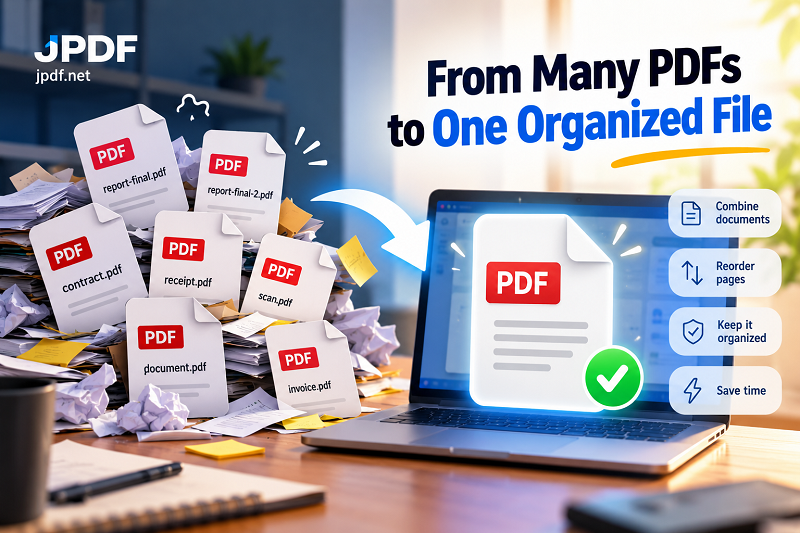
The Real Problem Isn’t Having Too Many PDFs
Having separate PDF files isn't automatically bad. In fact, keeping documents separate can make perfect sense while you're working on them. The trouble begins when those files belong to the same task but never become one coherent package.
Think about preparing documents for a client, submitting paperwork, sending a project report, or keeping records for a business transaction. You might have a cover page in one PDF, supporting documents in another, a signed page somewhere else, and a receipt sitting in your email.
Individually, everything looks fine. Together, it's a mess.
This creates a surprisingly common problem: document fragmentation. Information exists, but it's scattered across multiple files, folders, messages, and versions. Finding the right material becomes harder, checking whether anything is missing takes longer, and sending the final package becomes unnecessarily complicated.
The goal isn't to eliminate every separate PDF. It's to know when several files should become one finished document.
When Separate Files Turn Into a Workflow Problem
A folder full of PDFs becomes a headache when the documents need to move somewhere else.
Maybe you're sending a proposal with supporting information. Maybe a customer needs an invoice, receipt, and terms together. Maybe an application requires several pages in a specific order. Or perhaps you're simply trying to archive a completed project without leaving behind a digital junk drawer.
That's when file organization stops being cosmetic and starts affecting your workflow.
Instead of attaching six files to an email, you may need one complete document. Instead of asking someone to open several attachments, you want them to open one file and move through the information naturally. Instead of wondering which version contains the signed page, you want everything relevant in a single place.
A clean PDF package reduces those tiny moments of friction. No detective work. No “Wait, did I already send that?” No opening four files just to figure out which one belongs after page 12.
Why Last-Minute PDF Cleanup Usually Goes Sideways
The worst time to organize documents is five minutes before you need to send them.
Under pressure, people tend to grab files based on filenames rather than content. That's how duplicate pages sneak in. It's how outdated versions get attached. It's how an important page ends up buried somewhere it shouldn't be.
Another problem is ordering. A document can contain all the correct information and still feel completely wrong if the pages arrive in an awkward sequence. Imagine receiving a signed agreement before the agreement itself, or a receipt before the invoice it relates to.
Then there are the files you forgot existed.
Digital clutter has a sneaky advantage: it doesn't look urgent. A PDF sitting quietly in a folder doesn't demand attention. It only becomes important when someone asks, “Can you send me the complete document?”
Suddenly, that forgotten file is very important.
Build the Document Before You Need to Send It
A better approach is to treat the final PDF as a finished product rather than an afterthought.
Start by identifying which files actually belong to the same document package. Don't automatically include everything. A clean document is not necessarily a huge document; it's a document where every page has a reason to be there.
Next, remove outdated versions and duplicates. If you have three copies of the same report, determine which one is current before you start assembling anything. This sounds obvious, but version confusion is one of those problems that's incredibly easy to create and surprisingly annoying to fix later.
Then think about the reader.
What should they see first? What supporting material should come next? Which pages need to stay together? If someone opens the final PDF without any additional explanation from you, will the sequence make sense?
That's the standard worth aiming for.
A Good PDF Workflow Is Boring — And That's a Good Thing
The best document workflow isn't flashy. It simply prevents unnecessary decisions.
You gather the relevant files. You remove the junk. You establish the page order. You create the final document. Then you give it one quick review before sending or storing it.
For people who regularly deal with invoices, contracts, applications, reports, receipts, scanned documents, or project files, this small habit can save a surprising amount of time.
And when you need to combine several documents, using a merge pdf free tool can turn a scattered collection of files into one organized PDF without adding another complicated step to the process.
The important part isn't merely clicking a merge button. It's deciding what belongs together before you do it.
One File Can Be Easier to Manage Than Six
There are plenty of situations where multiple PDFs are perfectly reasonable. A collection of unrelated documents shouldn't be forced into one giant file just because you can.
But when several files form one logical package, keeping them separate can create unnecessary friction.
A single organized PDF can be easier to send, archive, review, print, upload, and retrieve later. It also gives the person receiving it a much clearer picture of what they're looking at.
That's especially useful when the recipient wasn't involved in creating the documents. You already know what each file means. They don't. A well-structured PDF removes some of that guesswork.
Before You Send the Final PDF, Do One Last Check
Don't skip the final thirty-second inspection.
Open the finished document and move through the pages from beginning to end. Check that everything is there, the sequence makes sense, duplicate pages are gone, and nothing important was accidentally left behind.
Pay attention to filenames too. final-final-2.pdf might feel harmless on your computer, but a clean filename such as Client-Agreement-March-2026.pdf tells you exactly what you're opening months later.
That's the difference between simply combining files and actually organizing your documents.
Stop Letting “Later” Become a Filing System
PDF clutter doesn't usually come from one giant mistake. It comes from dozens of tiny decisions to deal with something later.
Download it now. Rename it later. Combine it later. Delete the old version later. Figure out which file is current later.
Eventually, “later” becomes a folder with 47 PDFs.
The fix doesn't need to be complicated. When several files clearly belong to the same task, give them a logical structure, put the information in a sensible order, and create one clean document when that's the format the situation actually calls for.
Your future self will probably thank you — especially the next time you open your Downloads folder and find exactly what you're looking for on the first try.